


Annual billing

wordcraft annual plans cost about 50% less than 12 monthly payments

Save

wordcraft — Documents, spreadsheets, slides and PDFs

Open a document, spreadsheet, presentation or PDF in wordcraft. Work directly in your browser, then sign in to save or export your private files. AI image and video tools remain available in the navigation.

Office workspace

My files
Loading wordcraft editor…
Open and edit freely. Sign in to save or export.
01

wordcraft · Introduction

Overview, evidence, benchmarks, context.

wordcraft · 768P · Native Audio

Faster renders. Sharper direction.

wordcraft brings editable documents, spreadsheets, presentations, and PDFs together with existing AI image and video tools. Open the office workspace directly, then sign in to save or export a private result. The media below demonstrates the separate video workflow available on wordcraft; model settings and credit quotes remain in those tools.

Text to VideoImage to Video768P5–15sNative Audio
≈2.5sbackend inference for a 5s 768P clip; queue and prompt expansion add to total wait time.
02

wordcraft · How to use

Prompt, settings, review, iteration.

  1. STEP 1

    Choose a wordcraft workspace

    Choose a document, spreadsheet, slide deck or PDF workspace in wordcraft. Open the matching editor directly in your browser.

  2. STEP 2

    Open your file

    Create a new file or use the editor’s import menu. Keep a copy of the original and inspect its formatting after opening.

  3. STEP 3

    Edit and review

    Use the native menus to revise content, formatting and layout. Review the result in wordcraft before preparing a version to share.

  4. STEP 4

    Save or export

    Sign in to save a private copy or export your result. Find saved outputs in My files and the document task history.

Input
Image 1
Image 1
Image 2
Image 2
Image 3
Image 3
Video 1
Audio 1
Output

Prompt:Using the character actions and camera language from @Video 1, generate a combat sequence featuring the characters from @Image 1 and @Image 2, set against the background of @Image 3. The fight choreography and visual style should emulate the pixel-art, side-scrolling combat of the classic game Contra, including retro movement rhythms and arcade-style impact beats. Apply the background music from @Audio 1, and synchronize additional combat sound effects—hits, jumps, and weapon actions—with the on-screen fighting motions to enhance intensity and immersion.

03

wordcraft · Features

Capabilities, prompts, editing, models.

wordcraft — Camera moves you can direct

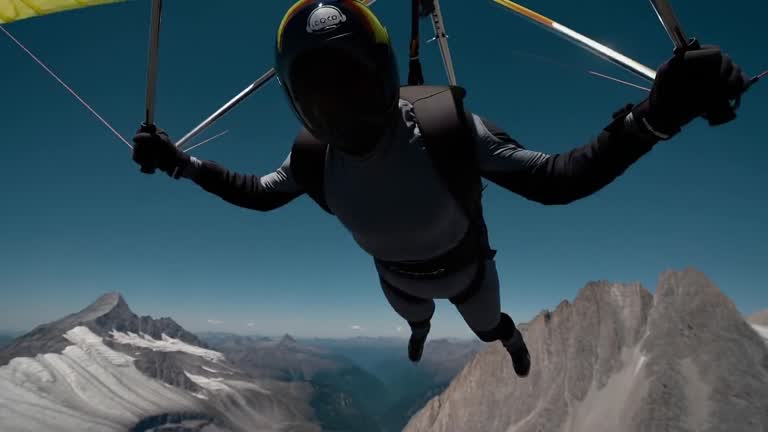
Plan a moving shot before asking for a final clip. Describe a clear subject, a camera direction, and a stable setting. The wordcraft demonstration shows how camera language can communicate a product or place. Use a short test to inspect motion, then decide whether the asset belongs beside a document, within a presentation, or in a separate video project.


wordcraft — Two stills become one shot

Use an opening image to establish a scene and an optional ending image to describe the destination. The wordcraft transition remains a reference for the video tools. When preparing supporting media for a presentation, inspect both endpoints and the motion between them. Save useful source images separately so a future revision does not depend on reconstructing the entire shot.

wordcraft — The same character, shot after shot

A recurring character can help connect a sequence of scenes. Keep the visual description and references consistent, then review the actual outputs rather than assuming every detail will match. The wordcraft demonstration below is a visual example of that goal. For a document or slide deck, choose the frames that support the story and explain their purpose in the surrounding text.

wordcraft — Sound generated with the picture

Sound can change how a short demonstration feels. Describe important dialogue, ambience, and timing when the selected wordcraft video model supports them, then listen to the result with the picture. For a presentation, verify media playback in the format that will be shared. A fixed PDF is useful for reading, while a video remains a separate audiovisual asset to inspect.

wordcraft — One look held across every shot

Choose a visual direction that supports the subject and audience. A consistent palette, material, or illustration style can connect a report, its charts, and the media used to present it. The wordcraft demonstration stays available as a reference. Keep the brief concrete and check that a stylish result still shows the information the viewer is supposed to understand.

wordcraft — It hits the beats in order

In wordcraft, break a detailed visual request into a subject, action, setting, camera instruction, and sound. Review which instructions appear in the resulting clip and which need another attempt. This makes a prompt useful as a working brief instead of a list of adjectives. Keep notes about accepted results alongside the document or presentation that will eventually use the media.

wordcraft — One continuous take, no cuts

The coastal example shows a complete scene that can accompany a travel proposal, location brief, or short presentation. Describe what the viewer should notice before choosing a supporting clip. Check movement, composition, and the visible setting in the actual result. A beautiful asset is most useful when its role is clear within your wordcraft document and the presentation sequence.

wordcraft — Playable-looking game footage

The game example demonstrates a stylized visual direction. It can help a team discuss an idea, prepare a project pitch, or compare the mood of a proposed sequence. Keep technical claims and delivery commitments in editable wordcraft text rather than inferring them from a concept clip. Use the media as an illustration and review the surrounding document for precise, understandable statements.

wordcraft — A line to camera, lip synced

A wordcraft food demonstration can support a lesson, product story, or campaign outline. Pay attention to visible actions and the order in which they happen. When writing accompanying material, distinguish an illustrative clip from instructions that someone will follow in real life. Review the scene and its sound, then choose a concise explanation for the document or slide where it appears.

wordcraft — Claymation frog with pancakes

A tactile animation style can give a small story a recognizable visual identity. Use the existing example to discuss materials, lighting, and the rhythm of a scene. Keep each creative decision tied to the intended audience. For a presentation, decide whether the clip introduces an idea, demonstrates an action, or provides a visual pause between two sections of written information.

wordcraft — Hummingbird at a trumpet flower

A nature scene is useful when the subject and movement carry the message. Review the framing, background, and visible detail before deciding how to reuse the result. A short clip might introduce a topic, while a still frame might illustrate a report. Keep captions factual and avoid treating an attractive generated image as evidence for a claim about the real world.

wordcraft — Espresso, macro

A close product scene in wordcraft can help communicate texture, preparation, and atmosphere. Use the example as a reference for framing and pacing, then define the information your own project needs. For a proposal, keep the actual product facts in editable text. For a presentation, pair the scene with a clear title and verify the output before sending it to an audience.

04

wordcraft · User reviews

Verified comments from creators.

Marcus Deleon
Indie Game Developer

I made a full character PV for my game with MiniMax H3 in one afternoon. The menu UI stayed readable in every frame and the character never went off-model. That used to cost me a contractor and three weeks.

Aiko Tanabe
Animation Studio Lead

We tested every AI video generator on the market for stylized work. H3 is the only one that held our anime style across cuts. We now use it for pitch reels and animatics on every project.

Priya Raghavan
E-commerce Brand Owner

I uploaded four product photos and got a listing video with music and a voiceover the same day. My click-through rate on the new listings is up 38%. H3 even got the label text on my packaging right.

Danielle Whitfield
Social Media Manager

I ship five vertical videos a week for three brands. MiniMax H3 gets me from brief to draft in under an hour, with sound already synced. My old workflow needed a videographer and two review rounds.

Tomás Herrera
Freelance Video Editor

The editing side is what sold me. A client wanted the background of an interview changed — I typed one sentence into MiniMax H3 and the lighting on the subject matched the new scene automatically.

Oliver Bennett
Film Student

I previsualized my entire short film in MiniMax H3 before we shot a single frame. Rack focus, match cuts, even the title cards — it understands director language, not just keywords.

wordcraft Pricing and Credit Plans

Cancel anytime

Lite

50% off

0.025 / credit

$29.9$14.950% off

Billed $ yearly179· Save $179.8

600/month
Video Models
MiniMaxSeedanceWanGrok ImagineKling
Image Models
SeedreamGPT ImageNano Banana
  • Includes MiniMax H3 and all premium models
  • Up to 1 batch generation task
  • Standard generation speed
  • Standard generation success rate
  • Standard customer support
  • Commercial Use License
Most Popular

Standard

50% off

0.017 / credit

$49.9$24.950% off

Billed $ yearly299· Save $299.8

1,500/month
Video Models
MiniMaxSeedanceWanGrok ImagineKling
Image Models
SeedreamGPT ImageNano Banana
  • Includes MiniMax H3 and all premium models
  • Up to 4 batch generation tasks
  • Priority processing speed
  • High generation success rate
  • Priority customer support
  • Commercial Use License

Pro

50% off

0.014 / credit

$99.9$49.950% off

Billed $ yearly599· Save $599.8

3,600/month
Video Models
MiniMaxSeedanceWanGrok ImagineKling
Image Models
SeedreamGPT ImageNano Banana
  • Includes MiniMax H3 and all premium models
  • Up to 10 batch generation tasks
  • Fastest generation speed
  • High generation success rate
  • Dedicated account manager
  • Commercial Use License

Max

50% off

0.012 / credit

$199.9$99.950% off

Billed $ yearly1,199· Save $1,199.8

1x
1x2x3x4x5x
8,000/month
Video Models
MiniMaxSeedanceWanGrok ImagineKling
Image Models
SeedreamGPT ImageNano Banana
  • Includes MiniMax H3 and all premium models
  • Up to 10 batch generation tasks
  • Fastest generation speed
  • High generation success rate
  • Dedicated account manager
  • Commercial Use License

Pay safely and securely with

  • Mastercard
  • Visa
  • Apple Pay
  • UnionPay
  • Google Pay
  • Discover
  • PayPal
  • Click to Pay
  • Bancontact
  • SEPA
  • Link
  • Diners Club
  • Crypto
  • Cash App
  • eftpos
  • Revolut Pay
05

FAQ

Inputs, outputs, credits, boundaries.

FAQ

wordcraft FAQ

Practical answers about editing, private saves, exports, file compatibility and wordcraft accounts.

Use wordcraft for documents, spreadsheets, slide decks and PDF files. Each tool opens directly in the browser, with its own native editing controls and supported file formats. Choose the workspace that matches the file you want to prepare.

wordcraft support: hi@wordcraft.fast

06

CTA

Turn evidence into generation.

Start creating

Create your first wordcraft file

Open a wordcraft workspace, create or import a file, and review your changes. Sign in when you are ready to save a private copy or export the result. Your saved document will remain available in My files and the task history.

Open Workspace
Private saves after sign in
Four browser editors
Native file exports